Finish your profile right here and directions for adding your Profile Picture (which appears when you post) is right here.

-
College Baseball: 64 teams get to the playoffs out of 308 total D1 teams = only 21% make the NCAA playoffs. (20.77% to be precise)
-
Absolutely. Waz stated in an interview recently that he needs to play them and get them experience--and a home game yesterday, and a hostile environment in Corvallis last week was perfect. It worked out well to give them a taste of experience....and yet still win the game. It is also evident that some of the young pitchers have some high upside for the future--the next Tanner Bradleys being molded.
-
No Shelstad, but a 3-Star point guard? Yeah, that will win games...
-
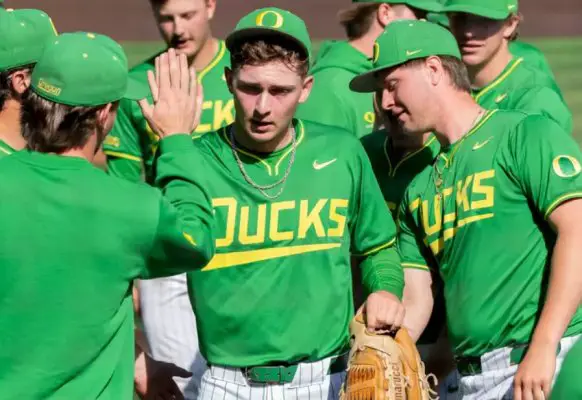
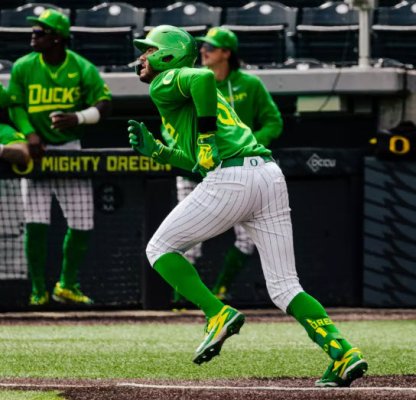
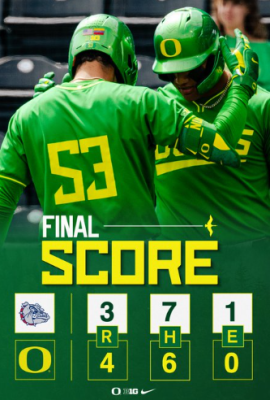
OREGON ATHLETIC COMMUNICATIONS FOR IMMEDIATE RELEASE | TUESDAY, APRIL 28, 2026 BASEBALL | @OregonBaseball Early Runs Back Nine Pitchers in Midweek Win EUGENE, Ore. — Two streaking teams collided Tuesday at PK Park, and in the end Oregon was still standing. The No. 13 Ducks ended Gonzaga’s 14-game win streak in a midweek matinee, relying on nine pitchers to throw an inning each on the way to a 4-3 victory. Oregon extended its own win streak to six entering a weekend road trip to Washington. “We just try to focus a day at a time,” UO center fielder Jack Brooks said. “So tomorrow's gonna be practice; we’re gonna focus on tomorrow. And then when we get to the weekend, we'll focus on Washington. But right now it was Gonzaga, and we did that and we won. So that's kind of our mentality.” Brooks had two hits and scored a run for a UO lineup that scored all four of its runs in the first two innings. Nine pitchers made that enough offense to win, with Shane Johnson (1-0) earning his first win of the season and Devin Bell closing it out for his 10th save. Tanner Bradley got some BIG outs... “That helps us a lot, especially with the upcoming schedule we have,” said Tanner Bradley, who escaped a bases-loaded jam in the eighth inning. “UCLA and Washington and USC, these guys are all great teams. Having that depth is going to be good — very, very helpful.” Oregon’s nine pitchers, including Jonah Barkoff in his season debut, combined to allow seven hits and two walks over nine innings, with 10 strikeouts. That came on the heels of a win the week before in which 10 pitchers helped Oregon win at Oregon State. “Every guy that we have on our staff is good,” Brooks said. “They can all go out there and pitch. They can throw every one of their pitches for strikes, and they're really good. So seeing them go out there is just fun to watch.” How It Happened: A triple by the leadoff hitter and a wild pitch put Gonzaga up 1-0 just moments into the game. But Oregon quickly gave its pitching staff the chance to play with the lead. Brooks doubled to lead off the bottom of the first, and advanced on an error that put Brayden Jaksa at second base. Both runners scored on sacrifice flies, and Angel Laya’s 12th homer of the season made it 3-1 as Oregon punched back after Gonzaga landed its early jab. “Just kind of showing the pitchers that we're there for them,” Brooks said. “We got their back, no matter what happens — no matter if that run goes up or doesn’t, we're going to try to score. That's our offense. We're going to come out swinging.” The Ducks made it 4-1 in the second on Maddox Molony’s second sacrifice fly of the day. That scored Tyler Jones, who led off the bottom of the inning with his first hit of the season after Barkoff pitched around a two-out single in the top half. Angel Laya views his hit clear the wall! Gonzaga got a run back in the third inning, and another in the seventh. The Bulldogs threatened to tie it up or take the lead in the eighth, loading the bases with one out. But Bradley struck out the next two hitters on seven combined pitches after allowing a hit and two walks. “That's gonna happen, that's baseball,” Bradley said. “I just kind of kept my composure and had a flat heartbeat, not too pumped up where I can't control anything. And so I just stayed calm and got three outs and got off the field.” The Ducks held on despite stranding runners in scoring position in the seventh and eighth innings, and despite playing without regulars Ryan Cooney and Jax Gimenez, who were unavailable. That broke a streak of 99 consecutive starts for Cooney. On Deck: The Ducks open a series at Washington on Friday (7 p.m., B1G+).

-
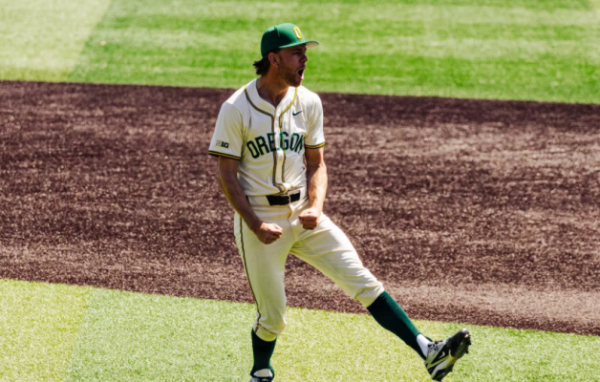
Ducks win 4-3 with a ton of late drama. First....Waz used NINE pitchers to win this game, with a ton of newbies that only gave up three runs? Fantastic. Michael Meckna Jonah Barkoff Cooper Markham Shane Johnson Gabe Howard Luke Morgan Toby Twist Tanner Bradley Devin Bell Bradley had runners on the corners with NO outs in the 8th inning, and then bases loaded with one out. Three strikeouts rescued the inning and Our Beloved Ducks. Then Devin Bell showed his mental growth and fortitude putting down the 'Zag batters 1-2-3 for the save. Whew! This puts Oregon at a 75% win percentage at 33-11, going up to take on the Bastard Huskies this weekend.
-
4-2 Ducks after three innings. Another young-gun pitcher, Cooper Markham, is on the hill and he gave up two hits and a run on a sac-fly. His first run given up at Oregon in seven total innings pitched this year.... Nothing on offense this innings, as Gonzaga brought in a good relief pitcher. My Duck-Buddies....these mid-week games that start in the afternoon are tough, as I have an appointment I have to run to that cannot be missed. I will be back later to fill in as I can...
-
4-1 Ducks after two innings. Looks like the newbie strategy by Waz for pitching, as Jonah Barkoff, a RS freshman is making his first Oregon appearance. He redshirted last year, and was the No. 1 pitcher in the state of Oregon the year before. He gave up a hit, but created two groundouts and his first strikeout with a nice curve/drop-ball to end the inning. Tyler Jones is making a debut fielding and hitting, and the 6'3" sophomore from WA got his first hit in Eugene. Jack Brooks hits to shallow RF, while Brayden Jaksa walks. Maddox Molony gets his second scoring sacrifice fly to score Jones from third.
-
3-1 Ducks after one inning. Michael Meckna is the Oregon starter, and he gave up a hit that should have been a single, but a fielding error turned it into a triple....that scored on a wild pitch. Two self-inflicted errors gave up the run! Jack Brooks hit deep to LF/CF gap to the warning track for a double. Brayden Jaksa's grounder is overthrown at 1st, so he proceeds to second with Brooks arriving at 3rd base. Maddox Molony hits a sac-fly to score Brooks, and move Jaksa to 3rd. Drew Smith joins the party and hits a sac-fly to score Jaksa! Then Angel Laya scoops a low pitch out with a beautiful swing to put if over the RF wall for a solo homer!
-
Boy, we did not see this coming! Gonzaga leads the WCC with a 15-3 record in conference and is 27-14 overall, but a couple of disconcerting notes; they are on a 14 game win streak, and recently swept Portland all three games, and beat Washington twice. (We play Washington this weekend in Seattle, and they just won a series over Michigan...who beat us in Ann Arbor.) It's a TRAP! No idea who the starting pitcher is, but I'm hoping that Ryan Featherston is healed or Cal Scolari is healed and ready. Or Waz could run the gamut of young pitchers for an inning each as he did last week? They did well....can they do it again?
-
-
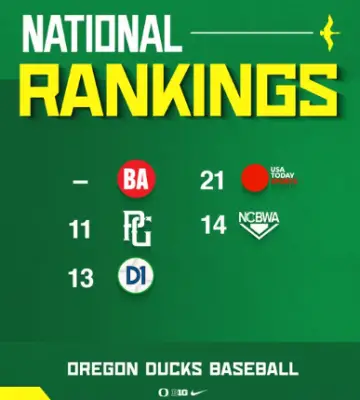
As stated many times--the rankings I follow come from D1Baseball, whether we are unranked or highly ranked. This is how we and other teams we play sit in the standings... No. 1 UCLA 39-4, RPI: No. 1 No. 6 Beavis 33-9, RPI: No. 12 No. 13 Oregon 32-11, RPI: No. 24 No. 16 Nebraska 33-11, RPI No. 15 No. 21 USC 34-11, RPI: No. 10 We play Gonzaga this week, and their RPI is No. 33, of which is good for a non-conference game. We got a great bump from beating Beavis, and sweeping Penn State, but an equal impact was teams ahead of us losing too much. We need to stay in this No. 13 range or higher as the top 16 teams get Regionals in the NCAA tournament later. Playing so many teams with good RPI really helps our chances for a Regional, and we need to win enough of those games.
-
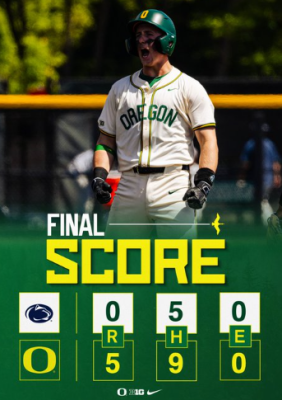
Ducks Battery Keys Sweep-Clinching Win EUGENE, Ore. — Five Oregon pitchers led by starter Miles Gosztola combined to toss a five-hit shutout leading No. 19 Oregon to a 5-0 win and a series sweep over Penn State on Sunday at PK Park in front of 3,044 fans. The Ducks' battery was excellent in leading Oregon (32-11, 16-5 Big Ten) to the win. Gosztola (2-2), Gabe Howard, Cooper Markham, Cooper Strawn and Leo Uelmen combined for 11 strikeouts with just a pair of walks. Catcher Burke-Lee Mabeus finished 3-for-4 at the plate with three extra-base hits (HR, 2 2B), while also throwing a runner out attempting to steal second base in the second inning. The win allowed Oregon to keep pace with both Nebraska and USC in the Big Ten standings with both winning on Sunday. First-place UCLA was playing a nonconference series this weekend. How It Happened: For the first 22 innings of the series the Ducks struggled offensively, scoring as many as two runs in an inning just twice. Oregon finally put up a three-run inning in the fourth to take a three-run lead. Drew Smith led it off belting the first pitch he saw over the left-field wall for a 1-0 lead. Angel Laya followed with a base hit through the left side before moving to second on a Maddox Molony base on balls. Mabeus made it 2-0 with a double into the right-field corner scoring Laya while moving Molony to third. Naulivou Lauaki drove in Molony with a sacrifice fly to right field. The Ducks tacked on another run in the fifth inning. Smith doubled inside the first-base bag and came around to score on a Laya base hit up the middle. Mabeus continued to swing a hot back in the sixth inning. The Ducks' catcher belted a solo home run 400 feet over the right-field wall for his third extra-base hit of the game and a 5-0 Oregon lead. After giving up base hits to the first two Penn State (12-29, 5-16 Big Ten) batters of the game, Gosztola was in control through his 6.1 innings of work. After the two first inning base hits, he only allowed one more hit during the rest of his outing and that came in the second inning on a batter who eventually was thrown out stealing. Box Score Notes: Oregon has won nine of 10 weekend series this year with four sweeps … The shutout was the seventh of the season for the Ducks … Smith moved into a tie with teammate Dominic Hellman for seventh on Oregon's career home run list with 26 … He also moved into a tie with Ryon Healy (2011-13) for seventh on the career RBI list … His 3-for-4 game gave him 65 career multiple-hit games. On Deck: The Ducks host Gonzaga in nonconference action at PK Park on Tuesday (2:05 p.m.; B1G+) Quotes: Head Coach Mark Wasikowski On completing the series sweep... "Anytime you can sweep. It's fantastic. Miles Gosztola threw the ball very, very well. It's great to see, you know, him passing the ball off to the guys down there in the bullpen. All the way from Gabe to Markham. I thought threw the ball exceptionally well. And being able to have some of your key bullpen guys not need to get into the game is really important. And so we were able to accomplish a lot of goals outside of the sweep as well." Miles Gosztola On Miles Gosztola's first inning and how he settled into the game today... "Yeah. I mean, he made big pitches all day, right? He just didn't give in. It felt like they got a couple of things going there in the first inning, but then he was able to really lock in with his mentality. He started throwing with his best velocity. think he was throwing 88 to 90, his first few pitches of the game. Then he just said, the heck with it. He started ripping low to mid-90s. I just felt like that intent was what he carried through his outing, and that was the difference between maybe him getting bounced in the first and him having the performance that he had today was just that mentality piece that I thought he brought." On Miles only allowing one hit after the first inning... "Well, if you've ever hit against the lefty that's throwing 90 to 94, 95 miles an hour, that's hard already from a lower slot. That's even harder; it's a different look. He's just got really good pitches, and he can command his fastball and his off-speed pitches. When you're doing that, you get it going. That's what you see on TV when you're watching ESPN, Major League Baseball. So, you know, he's got that kind of ability to be pitching on TV, and it's nice to see him improving every outing that he's had." On relying on some young guys in the bullpen and the trust he has in them... "Well, they all have great arms. They're all throwing the ball in the low to mid 90s, and they all have great off-speed pitches. It's just about getting them out in the games and experience. Cooper Strawn, he was dinged up at the start of the year, and so we couldn't get him out there, couldn't get him the experience that we wanted to get him. And Leo Uelmen, he had an arm injury a couple of years back, and he's just getting back on it. Cooper Markham, obviously, is a very talented freshman. When you throw the ball in the high 90s, that's hard to do; that's very rare. And he's just a very talented freshman." On Burke-Lee Mabeus taking over as the primary catcher and the mentality he has to be able to be an everyday catcher... "Yeah, he's strong as an ox. He's ready. He wants to play every single day. He's strong as an ox, and I'll be in the weight room with him probably tomorrow at some point. It's probably an off day, but he'll show up. That kid is as strong as an ox. As far as wear and tear and stuff like that, that doesn't factor for Burke. He's a tough kid." On Burke-Lee Mabeus and his plate approach in today's game... "Well, he probably got lucky on one, and he got swung off on the other, truth be told. But he's using the whole field. Early in the game, the guy was sinking the ball and running away from him, so he stayed on the ball, and he did what he needed to do. And they're over-shifted, and he's been able to do that a few times against opponents. And then later in the game, a guy was going to challenge him with a fastball middle in. And he took the first one down the right field line. That was a big hit for us." On new renovations to PK Park and what the atmosphere means to Oregon Baseball... "Yeah, beautiful weather. I mean, it's a sports bar, hanging out at a college baseball field. Who's got that? Another awesome Oregon thing. I think if you're a fan of baseball and you're here, a fan of the Ducks, you need to get involved with that deal. If I weren't coaching baseball and I were living in Eugene, Oregon. I'd love to watch this team and be a part of that experience. Joe and Kathleen Karcher, Tim and Shelby Kerr, Joe Giansante, Mark and Carla Byrum, of course, Pat Kilkenny, all of these people are the ones who have gotten this thing rolling now. And that's a high-end deal in there with high-end food, great drinks, great food, great environment. I don't know why you wouldn't want to be in there. We never get any bad weather around here, but if you ever did, it's got a roof over its head too, and I think it'd be a nice place to sit if you ever had weather in Oregon." On Little League Day today at PK Park, and what it means to inspire so many young baseball players... "Yeah, the young girls and guys, we had a lot of young ladies on the field this morning when we were at the anthem, and they were all lined up with us. It was awesome to see and to be able to have the little leaguers here. I remember when my sister played boys baseball when she was growing up, and she was one of the better ones. She was on the all-star team. For these girls who come out, I encourage them to go out and play with the boys, show them what you've got. Beat them. I think it's great, you know. For me, when I saw those girls come out, I was really excited with all the other Little Leaguers, whether it be just fulfilling their dreams and getting better at baseball and having fun, right? That's what it's all about. And they're all here today, which is really great." On the series sweep and what it means for B10 positioning... "I don't know. We'll get to that. It's a win today. We got one in a row for three days in a row, and that's what we wanted to do. Good day off tomorrow, and then we're back on it on Tuesday with a really good game against Gonzaga, who's a Hot Club. I think they've won a bunch of games in a row. I don't know how they did today, but I think they've won a bunch of games in a row, and their RPI is really good. We scheduled them. We need fan support. It's a 2 p.m. game, so skip work and come to the ballpark." Miles Gosztola On how he felt in his long outing… "It felt great. I think after that first inning of not having the best command of all my pitches, I think I really settled in. Burke and I talked a lot in those first two innings in the dugout about throwing the slider with a little more conviction and getting the change-up down. Then things clicked." On how his first inning set him up to only allow one hit through the following five and a third… "I think all the longer outings, you're going to have bumps and bruises along the way, whether runs score or not. I think the higher pitch count in the first was a little more time to kind of massage in all the rest of the pitches. Then, after that was really just to settle in and get the ball to Burke's goal as much as possible. Ryan Cooney got injured earlier in the game, and he just put his head down and ground through that game. That was awesome. Seeing that guy still make plays behind me, even after that big-time roll of his ankle and not being able to finish the game, still being out there for a couple of innings was amazing." On Burke-Lee Mabeus behind the plate… "That guy is crazy back there. He's framing balls left and right. Throws a guy out, which was huge. I think that was the end of the third or fourth. You can't speak enough about him. That's our MVP for the day, if not the weekend." Drew Smith On his thoughts on the series sweep… "We didn't crush the ball all weekend, but I thought we just had gritty at-bats. It was just a great weekend. I don't think we scored more than five in all three games. So, the pitching staff did a great job, and the hitters did enough to get the sweep." On his home run... "They were flipping me a lot of breaking balls this weekend. So, I kind of just sat on it that at-bat and came right in my barrel and did enough to get it out here." On the teams' identity… "Just tough. I think everybody, one through nine, all the guys on the bench, and the staff, it's just a bunch of tough guys that just want to win at the end of the day." Burke-Lee Mabeus On how he thought the pitchers performed today… "They killed it. I think we did a really good job of staying with each pitch and being present. One thing we've been working on, if you know you make a mistake, let's be present enough to overcorrect, even if it means we miss drastically on the other side of the plate or whatnot. I saw that from our pitchers today. They went for it, kind of executed the plan that we were going for, and just competed the right way on the mound. I think that really led us, even on the offensive side. We feed off that. Their leadership that they took on the mound today helped the team win, for sure." On his ability at the plate to use the entire field… "Yeah, just, just trying to free it up and let the head work a little bit. We talked about good rhythm, good timing, and stuff like that, and being freed up to the middle of the field, that was my approach. I felt like maybe the day before, I was getting away from my game plan, not ambushing the pitch that I want, and being a little passive. I was just trying to fix that today, and it worked out better for me." On how he is handling being the everyday catcher now… "Perfectly fine. Ultimately, I'm just trying to do anything I can to help the team win. If that means catching every game on the weekend, two games on the weekend, midweeks, whatever it is, I'm up for the challenge. Brayden is doing a good job at first base and obviously swinging. We need his bat in the lineup, so if that requires me to catch all three games on the weekend, so be it. Ultimately, I want to play pro ball. Those guys play a lot of games up there. So, what they're asking me to do isn't too crazy right now, just making sure I take care of my body off the field, seeing the trainer, stuff like that. The guys we have on staff here do a great job of making sure we're all prepared physically."
-
Lockley is a Rivals 4-Star, and besides Oregon was offered by Alabama, Penn State, Ohio State, Texas A&M, Michigan and LSU. You Lose!
-
Ducks win 5-0 as it got a little dicey in the 9th. Sophomore transfer from Weatherford College, Cooper Strawn, got an out, but put two on base. Leo Uelmen relieved him, and walked a batter to load the bases...but got two more outs. Whew! This was the best pitching from an opponent that had bad ERAs coming in. They held Oregon to just five runs per game all weekend.
-
5-0 Ducks after eight innings. It was a surprise to see true freshman Cooper Markham (6'3" 229 lbs.) pitching for Oregon, but he got the three outs with his 95-96 mph fastball, and a nice curve-drop ball from the highly heralded player from Washington. You can tell that Waz is trying to work in lightly-used pitchers like Howard and Markham to give them experience. We will need it in the season-end tournaments! Nothing on offense this inning.