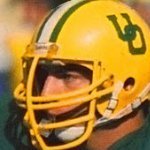
February 5Feb 5 Moderator No. Interesting read.oregonliveFormer Oregon Ducks star De’Anthony Thomas finds peace, a...Thomas has complicated feelings about his football career. His newest hobby is both battleground and sanctuary.
February 5Feb 5 Moderator No. Not surprised he’s back in Eugene.In 2011 (his Freshman year) I was living pretty close to Autzen, and would regularly walk through the passage between the stadium and the Moshofsky Center to get to Alton Baker for walks. On sunny days, he’d sometimes be sitting by himself on the curved curb next to the reserved athletic parking area just relaxing and soaking it in.You can kinda tell when someone has found something for the first time that really works. Edited February 5Feb 5 by Washington Waddler word choice
February 6Feb 6 No. He should give hockey a try. Anyone think anyone would be able to out skate him once he learned how to do it?But at any rate, he did far more than most of us who played high school football. Wherever he goes, he will be a role model.
February 6Feb 6 No. I was flabbergasted to learn that there is a Pro Disc Golf circuit in this country. We had a player and family member of the couple I was visited in the greater Boston to dinner one night and he told us all about it. He wasn't one of the big winners in the league (a raw rookie playing that summer before entering his real job in the fall after graduating from college) but he easily made expenses and was having fun.When he told me he was living in the extreme western part of Virginia, I remarked "Sounds like you live out in David Baldacci ( a famous popular novelist) country". Nonplussed, he said "Yeah he lives about a mile from me and is a pretty fair disc golfer himself".
February 6Feb 6 Moderator No. It doesn't get any more "Eugene" than disc golf. He's also going to have to start wearing patchouli oil and play hackysack in his spare time.





Create an account or sign in to comment